


The answer first
WhatsApp privacy settings are worth changing because they can cut down who sees you, who can reach you, and what a shared device exposes. I would tighten profile and presence visibility, group invitations, unknown calls, device access, account verification, and cloud backups before worrying about cosmetic switches. The hard limit is that settings do not alter WhatsApp’s phone-number registration foundation or erase the service data required to run groups and prevent abuse. UmbrellaX starts from a different rule: a private messenger should not make a telecom number its account root and then ask users to repair that choice one control at a time.
| What I would check | What it changes | What it does not change |
|---|---|---|
| Profile and presence controls | Limits the audience for profile details, last seen, and online state | The encryption or account model |
| Groups and unknown callers | Reduces unwanted additions and calls | What the operator needs to deliver a group |
| App lock and chat lock | Adds a device-access barrier | What a recipient can save or forward |
| Encrypted backups | Protects a chosen cloud backup with its own encryption | The need to manage the backup recovery secret |
| Strict Account Settings | Applies more restrictive protections where the feature is available | Every other privacy decision in the app |
| Username availability | Can reduce phone-number disclosure to a new contact | Proof that phone-number identity disappeared from the account |
Below, I separate settings that reduce an immediate risk from the parts of a messenger that only product architecture can change.
Start with the risk you can change today
I do not use one WhatsApp privacy preset for everyone. A journalist with a visible public profile, a student joining a large parent group, and someone sharing a phone with family have different failure modes. The useful question is not ‘which switches look most private?’ It is ‘what do I not want to happen this week?’
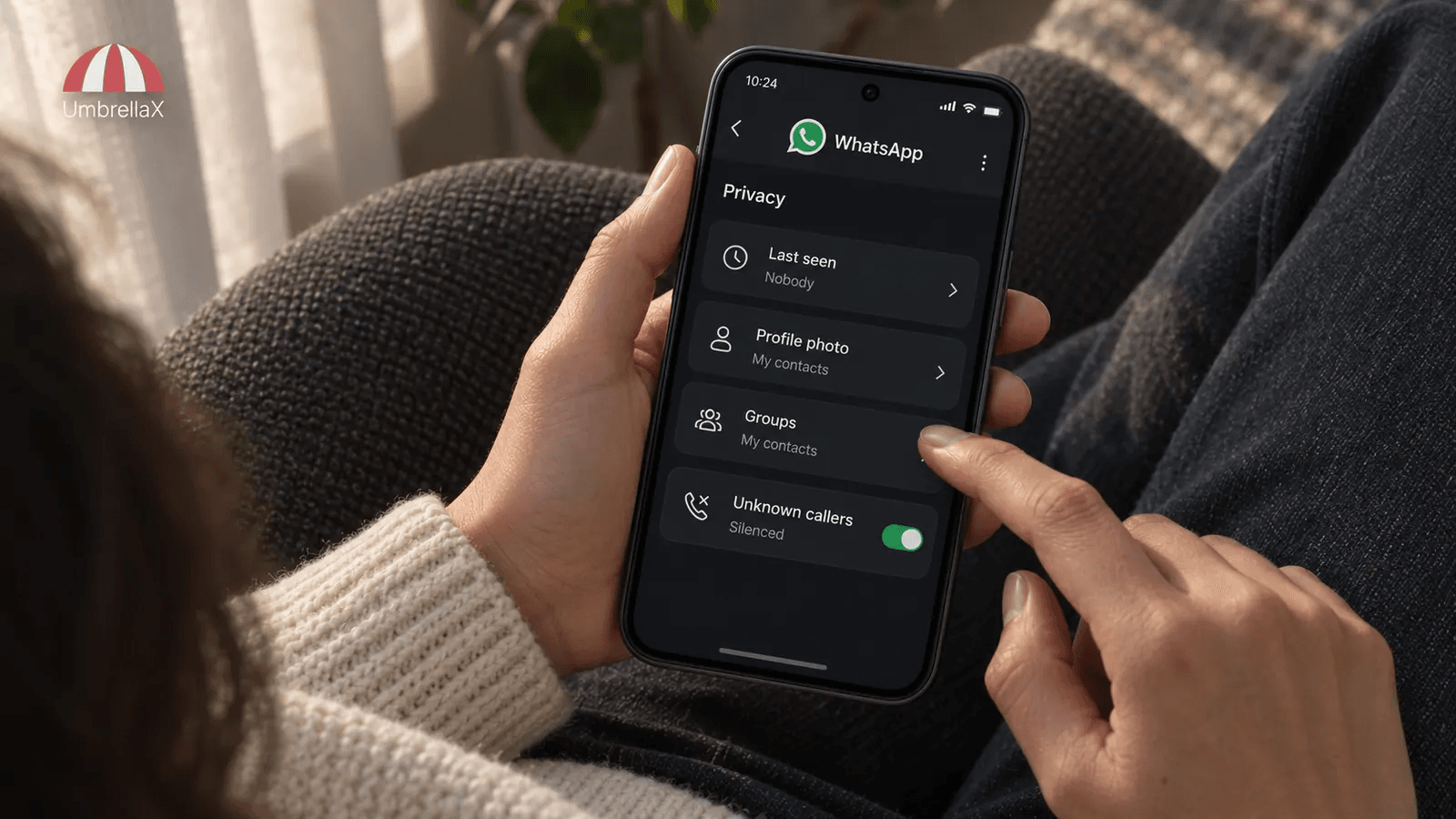
For unwanted contact, I would limit the audience for profile information and presence, then review who can add me to groups and whether unknown callers can get through. WhatsApp’s own privacy page groups those controls with status visibility, chat lock, and protection against unwanted contact. That is the right place to start, because it reduces the easy ways strangers can build a picture of a person or make their phone noisy. WhatsApp’s privacy hub is the authoritative place to check the path on the version of the app in your hand.
For a shared or easily borrowed device, I would enable an app-level lock and use a chat lock for the few conversations where an unlocked phone would create the most damage. I would not describe either as a magic safe. Someone with access to an unlocked session, a linked device, a notification preview, or the recipient’s phone may still see more than I want. The control is still useful. It just has a narrower job than most marketing copy gives it.
My rule while building a private messenger is blunt: the urgent setting should be visible before a person needs a security course. A safe default matters more, but a hard-to-find control is not a close second. I would rather expose a tradeoff in plain language than hide it behind a cheerful shield icon.
Which WhatsApp privacy settings I would change first
I would work through the following order. It is deliberately short. A long inventory makes people feel safe without making a decision.
1. Reduce audience exposure
Set profile photo, About information, Status, last seen, and online visibility for the smallest audience that still lets the app work for you. This is about routine exposure. It does not stop a contact from remembering, copying, or sharing what they have already seen.
I would choose the restrictive option first, then deliberately open one surface if a real relationship needs it. That reverses the usual pattern, where a person discovers after the fact that a work contact, former neighbour, or unknown number can see a profile photo and activity pattern. It also makes the tradeoff clear: hiding last seen and online status can limit what you see about other people. That is not a flaw. It is reciprocity.
2. Stop casual access, group additions, and unknown calls
Use the group setting to control who can add you. WhatsApp says this can route an unsuccessful addition into a private invitation, which is a better boundary than waking up inside a group you never chose. I would also silence unknown callers if spam or targeted nuisance calls are part of the problem. Those are different controls, but they answer the same question: who gets to demand my attention?
I put that question ahead of read receipts. Turning off read receipts can be sensible when attention timing is sensitive, but it does not make a group invisible and it cannot prevent a person from inferring a response from the conversation itself. For the fuller point, I wrote separately about read receipts as behavioural metadata. I do not want to squeeze that deeper subject into a WhatsApp settings checklist.
3. Protect the account and the device
Turn on two-step verification and review the trusted devices, use the app lock offered by your device, and inspect linked devices. I would also remove an old laptop or tablet before a trip, a separation, or a phone handover, not afterwards when the situation is already unpleasant.
This is where I disagree with the habit of treating privacy as a screen of visibility toggles. A private profile photo does not help if an old web session stays authorised. Building UmbrellaX has made me particularly strict about device state: every device is another place that can read, notify, export, or keep history. If I cannot make that state legible, I have not earned the user’s trust.
4. Make a conscious backup decision
WhatsApp says its encrypted-backup option can extend protection to backups stored in iCloud or Google Drive. I would enable it only after making sure I understand the backup password or key, where recovery depends on it, and whether the restored history is needed enough to justify keeping another copy. The point is not to frighten people away from backups. It is to avoid discovering a second message store when a phone is lost.
My encrypted chat backups guide goes deeper into that tradeoff. The short version is this: account recovery and old-message recovery should not quietly become the same power. I am building UmbrellaX so that distinction is a product rule, not a checkbox that a tired person has to remember.
What the settings cannot change
This is the part I would not leave vague. WhatsApp says personal messages and calls are end-to-end encrypted, and I accept that claim for personal chats as stated. The company also says it knows what phone numbers belong to a group, plus a group’s name, description, and profile picture where present, in order to deliver messages and prevent abuse. It says it relies on phone number and IP address for some service functions and approximate location. Read WhatsApp’s privacy questions for the exact wording.
That does not mean a user should panic or delete the app from a family group tonight. It means a proper privacy guide has to draw the boundary. Audience settings can keep a profile field from a contact. They cannot change the fact that WhatsApp’s registration instructions require a phone number the user owns and can verify, that the service runs a group membership system, or that it has its own abuse and delivery model. Researchers made the same broader point years ago: end-to-end encryption protects message content but does not make metadata disappear. Their analysis is still useful because it keeps the two claims separate.
I would not trust any messenger that makes people choose between ‘encrypted’ and ‘not private’. Those are not opposite categories. Encryption is necessary. Identity, recovery, group state, and operator knowledge still decide what a leak would show.
That is the boundary behind my private messenger metadata guide. It is also why phone-number privacy in messaging apps needs its own page. Hiding a number from a contact, avoiding automatic discovery, and refusing to make a number the account root are three separate design choices.
Strict Account Settings are for a narrower threat model
In January 2026, Meta announced WhatsApp Strict Account Settings as a restrictive mode for people facing sophisticated attacks, including journalists and public figures. Meta said the mode can automatically block attachments and media from unknown senders, silence calls from people a user does not know, and restrict other settings. Availability and the exact controls can change by app version and region, so I would check the current official announcement and the app itself rather than rely on a screenshot from this article.
I like the direction. A high-risk user should not have to discover every dangerous setting one by one. Still, I would not call a restrictive mode a replacement for a threat model. It can reduce risky inbound material and attention pressure. It cannot make a compromised phone clean, remove a recipient’s ability to save a message, or redraw the relationship between the account and its phone number.
When I evaluate a security feature, I ask a practical question: if it is disabled tomorrow, which new fact becomes visible and to whom? If no one can answer that in a sentence, the feature is probably doing too much marketing work and too little security work.
A username is helpful, but it is not a new foundation
Meta announced in June 2026 that WhatsApp usernames are rolling out gradually. Where the feature is available, the company says a person can reserve a name, use an optional username key to control first contact, and avoid showing their phone number when they first message a person or business through the username. I think that is genuinely useful for a parent group, a new client, or any situation where giving a permanent telecom identifier feels premature. The announcement is careful about staged availability, so I would not assume it has reached every country.
The awkward truth is that a username answers an exchange problem. It does not automatically answer the account-root, recovery, discovery, or operator-data questions underneath it. I chose a no-phone-number foundation for UmbrellaX because I do not want the public contact handle to be a cosmetic layer over a carrier-controlled identity. I would rather accept a little more deliberate contact exchange than ask users to defend a number they never needed to give me.
That is also why I would read my messaging app usernames guide beside any product announcement. I respect a privacy improvement. I do not inflate it into a complete system redesign.
When I would keep WhatsApp, and when I would move the conversation
I would keep WhatsApp where reach is the job. A school, medical office, landlord, courier, local business, or family group may leave no realistic option today. In that case, change the settings, keep sensitive detail out of business chats, use a device lock, and be deliberate about backups. Those are practical improvements, not a purity test.
I would move a sensitive conversation when the phone number itself, the group relationship, the operator’s jurisdiction, or a long-lived private identity is part of the risk. That is the point where UmbrellaX versus WhatsApp becomes the useful page, because it compares the two products rather than pretending a settings menu can settle a product choice.
I am building UmbrellaX for the second case. Its no-phone-number foundation, deliberate identity model, encrypted group direction, and data-minimisation goal come before convenience controls. That does not make it a reason to ignore the privacy settings in an app people still need. It gives the settings their proper scale.
My bottom line
Change the WhatsApp privacy settings that reduce exposure now: visibility, group invitations, unknown calls, device access, account verification, and backups. Use Strict Account Settings if it is available and your threat model calls for it. Consider a username useful when it reaches your region, but do not pretend it proves the phone-number account root disappeared.
I would rather see a reader make six honest changes today than leave with an inflated claim about total privacy. Then I would ask a harder question: is the messenger’s identity and operator model right for the conversations that could genuinely harm me if they were mapped, recovered, or pressured? That is the question I am building UmbrellaX to answer.
Sources
- WhatsApp Privacy official
- WhatsApp Strict Account Settings: Safeguarding Against Cyber Attacks official
- It is time to reserve your WhatsApp username official
- WhatsApp | Answering Your Privacy Questions official
- How to verify your number by SMS official
- How to manage two-step verification settings official
- WhatsApp security and role of metadata in preserving privacy research