



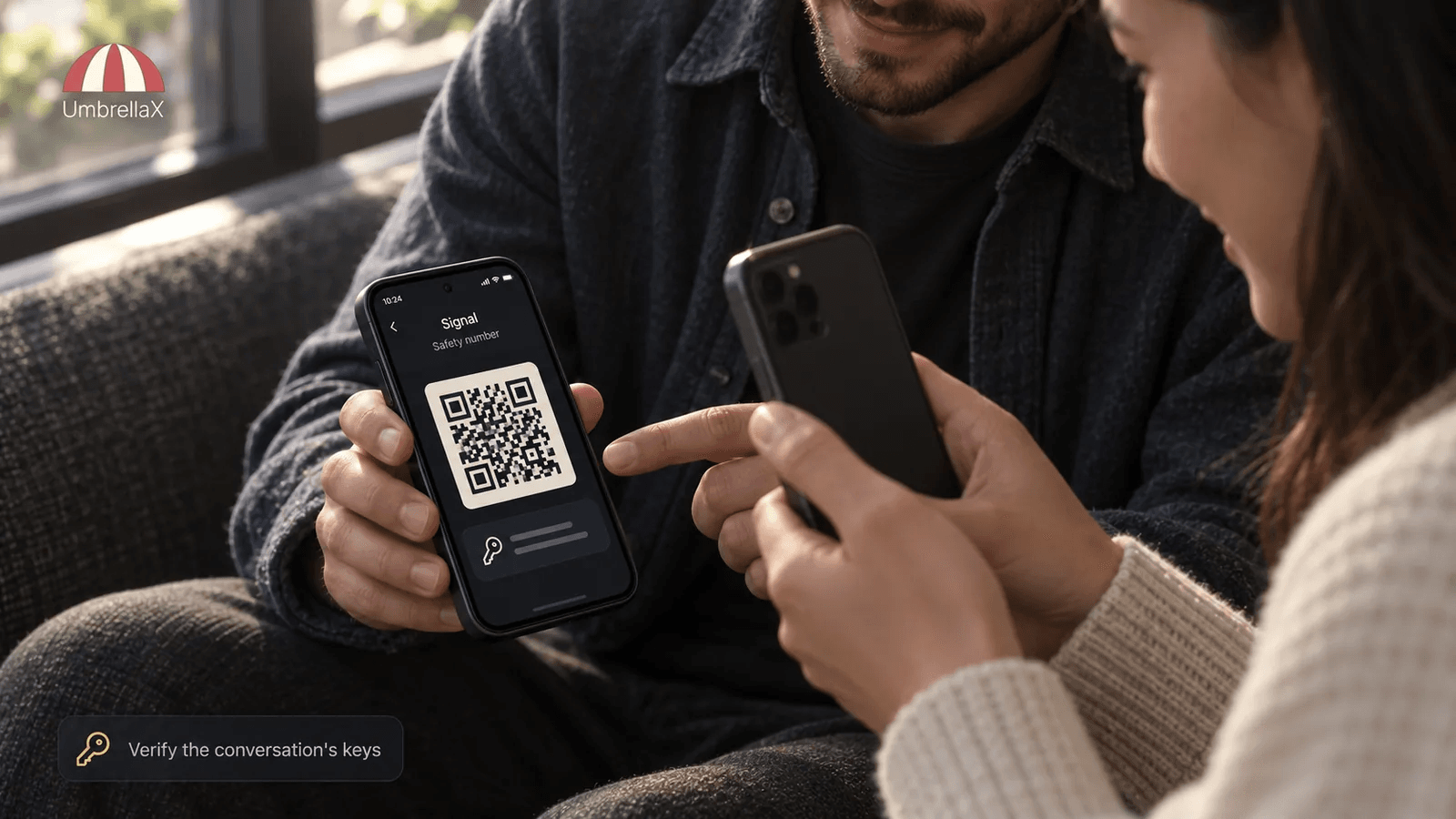
A Signal safety number gives two people a way to check that their apps are using the same encryption keys for a particular one-to-one conversation. I would scan the QR code in person when I can. If I cannot, I would compare it through a second channel that I trusted before the Signal chat began. A match is evidence against a hidden key substitution. It does not prove the real-world identity of the person holding the account, and it does not fix a stolen phone or compromised email account. Signal’s new automatic key verification helps in some phone-number-based cases, but the product still sends people back to manual safety-number verification when that feature is unavailable. I am building UmbrellaX around that honest boundary: useful evidence about keys, no pretending that a green tick knows who is holding the phone. UmbrellaX is pre-launch, so this is a design direction, not a claim about a released verification screen.
The practical job is small: decide whether the contact you are about to trust is using the same cryptographic identity that you expect. The human part is harder. A safety number is valuable only when I compare it through a path an attacker has not already captured.
The answer first
Signal says each one-to-one chat has a unique safety number that can be used to verify the security of messages and calls with that contact. The app presents a QR code and a numeric form, and it lets each person mark the result as verified. I would treat that as a key check, not as an identity check. Signal is explicit that the feature does not establish who is sitting behind the account.
| What I am checking | What a positive result means |
|---|---|
| Safety number or QR code | Both apps report the same encryption-key relationship for this chat. |
| A trusted second channel | The comparison did not rely only on the chat I am trying to verify. |
| Verified status | I have recorded a local decision to trust the current key state. |
| Automatic key verification | Signal found a key-consistency result in a supported phone-number-based case. |
| A profile name or avatar | Nothing reliable by itself. It is not cryptographic identity evidence. |
Below I explain the trust boundary, the exact procedure I would use, the meaning of an unexpected change, and why Signal’s newest automatic check still leaves room for a manual ceremony.
What a Signal safety number actually verifies
The phrase can sound grander than the result. A Signal safety number is not a password shared with your contact, and it is not a badge that Signal issued to prove that a person is real. It is a representation of the cryptographic relationship used by the two apps for this particular conversation.
That is enough to matter. If an attacker, a malicious service, or a broken recovery path could quietly substitute a different public key for your contact, encryption would still be doing its mathematical job. You would simply be encrypting to the wrong destination. Comparing the safety number gives both people a way to notice that the apps disagree about that key relationship.
If the key-distribution problem itself is unfamiliar, start with my end-to-end encryption explainer. It gives the broader protocol context without turning this practical Signal guide into a survey of every encryption primitive.
Signal’s support guidance puts the boundary correctly: a matching code can verify the security of messages and calls with a specific contact, but it does not verify anyone’s identity. I would preserve that distinction in every private messenger. A person may use a familiar profile name, control a stolen unlocked device, or be impersonating a colleague. The crypto result can be right while the social conclusion is wrong.
When I evaluate an encrypted messenger, I ask two questions in that order: does the client give me evidence that I have the right keys, and what independent evidence tells me that the other human is really the person I intended? Collapsing those two questions makes a reassuring interface and a weak safety practice.
How I would verify a Signal safety number
For a low-risk exchange, I may not stop to compare a code. For a new source, a sensitive work conversation, a high-value account matter, or a message that arrives after a strange change alert, I would verify before I share anything that cannot be taken back.
Signal’s steps are simple. Open the one-to-one chat, open the contact or chat settings, and choose View Safety Number. Both people can then scan the other person’s QR code. Signal says a QR comparison is best done in person. If meeting is not safe or practical, compare the numeric code through a second channel that existed before the doubtful message: a known work email, a number already verified in person, or another account whose control you have reason to trust.
The second channel is the whole point. Sending the code through the suspicious Signal chat asks the same possible impostor to confirm their own story. I would not count that as verification. The EFF’s Signal guide makes the same practical recommendation: open the safety-number view, then compare the number or QR code with the contact rather than treating the screen as self-authenticating.
If the values match, mark the contact verified on your side. If they do not match, stop. Do not try to diagnose the discrepancy inside the chat that failed the check. Use the known outside route to ask whether the person replaced a device, reinstalled the app, or changed account details. The point is not to create drama. It is to avoid sending the next sensitive message to a key you have not confirmed.
A change is a reason to check, not proof of an attack
Signal says the common causes of a safety-number advisory are a contact switching to a new phone or reinstalling Signal. Those events do not always create a change, and a changed number does not automatically mean a man-in-the-middle attack. I do not want a product that turns every ordinary phone migration into panic.
Context decides the response. If a friend told me yesterday that they bought a new phone, I would read the alert as a prompt to compare codes when convenient. If a supposed colleague suddenly asks for credentials after an unexplained change, I would stop and use a channel that predates the alert. When the consequence of a mistake is serious, waiting is cheap.
My existing guide to key change notifications in encrypted messaging owns the cross-messenger question: why a changed key may be harmless, why it can still be dangerous, and what a product should reveal about device and group trust. This page stays narrower. It is the hands-on procedure I would follow in Signal for one contact.
That boundary matters because a safety number is not a general account-health score. A person can still lose a device, expose a recovery secret, or fall for a convincing impersonation attempt. The verification ceremony checks one important layer. I would not let a successful check borrow confidence from layers it did not test.
Automatic Key Verification is useful, and deliberately limited
In its recent Automatic Key Verification support article, Signal says the feature can show an “Encryption verified” result when it is available. Signal also says it remains unavailable when a conversation began through a username, when the contact is not discoverable by phone number, or when a phone number record is stale. In those cases, its own recommendation is manual safety-number verification.
I think that limitation is revealing in a good way. It shows that automation is not free. Signal’s technical explanation describes its key-transparency work as a way to check the association between public identifiers and public keys. The service restricts automatic verification where the available identifier data cannot support that check without weakening a privacy-first default.
For a Signal user, the practical rule is straightforward: use automatic verification when the app makes it available, but do not read its absence as an encryption failure. Your messages remain end-to-end encrypted. When the conversation is sensitive and the automatic path is absent, scan the QR code or compare the number through another trusted route.
The identity tradeoff is worth naming. Signal usernames are useful because they can start a conversation without directly sharing a number. They also mean that automatic verification may not be available for that connection. I would rather see an honest manual fallback than a product quietly widen phone-number exposure just to produce a convenient green mark. For the broader contact-layer design, read my guide to messaging app usernames. For the account-root question, Signal without a phone number is the relevant page.
What a matching code cannot tell me
A safety number is powerful because it is narrow. I would not ask it to answer questions it cannot answer.
It cannot tell me whether a person has been coerced, whether their handset is unlocked on a table, whether their email has been taken over, or whether the message request came from a believable impostor using a familiar name. It cannot decide whether I should send a document. Those remain human and operational questions.
This is one reason usable verification deserves care. A USENIX study of Signal-related verification ceremonies placed participants in adversarial contact scenarios and examined how people handled safety numbers, QR codes, and other paths to trust. The lesson I take from work like that is not that ordinary users should become protocol experts. It is that a private messenger must clearly say what a ceremony establishes, what it leaves unresolved, and what the next safe action is.
My rule is blunt: a green check should never be the most persuasive lie in the app. If it means “the keys line up”, label it as that. If it does not verify the human, say so before someone uses it as proof of a stranger’s identity.
The verification direction I am building for UmbrellaX
UmbrellaX is pre-launch, so I am not claiming a production-tested verification workflow, an audit result, or a history of real incidents. I can state the product rule I am building toward: a private messenger should show a person what trust changed, let them inspect a concrete verification path, and avoid turning that trust history into another operator-held surveillance record.
I do not want a feature that appears only when someone is frightened by a warning. I would rather give people a small, understandable ceremony when a relationship first becomes sensitive, then make later changes specific: a new device, a different recovery state, or an unexpected contact key. My preference is for evidence that names the object and the consequence, not a generic “security updated” message.
The other part is identity. UmbrellaX is being designed without a phone number as the account root. That does not remove the need to verify a person. It does mean I have to build a deliberate contact and verification model rather than relying on a carrier identifier as the default bridge between people. I accept that tradeoff. Easy address-book growth is useful, but I would rather make an important connection explicit than make the contact graph automatic.
For groups, the work becomes stricter. A new member or device changes who can read future material, not merely a personal trust badge. That is why I link to secure group messaging instead of pretending a one-to-one Signal safety number explains a group state. My goal is a product that makes those boundaries visible without asking every user to become a cryptographer.
My short test before I trust the next message
Before I send sensitive information after a new Signal contact or a changed safety number, I ask myself:
- Is the message valuable enough that an impostor or wrong device would cause harm?
- Do I have a route to this person that existed before the doubtful chat?
- Did I compare the QR code or number through that route, rather than inside the same unverified conversation?
- Does the match tell me only that the keys agree, or do I also have independent reason to trust the person?
- If this is a group matter, have I checked the group membership and device context separately?
If the answer to the first question is yes and the second is no, I wait. I would rather delay a message than build a security ritual that has no independent witness. That is not paranoia. It is what the verification feature is for.
Bottom line
A Signal safety number is worth using when the conversation matters. Compare the QR code in person where possible, or compare the number over a different route that you already trust. Marking a match as verified gives you useful evidence that the conversation’s encryption keys line up.
Do not treat that evidence as a biography check. A matching code cannot prove a person’s real-world identity or repair every account and device risk. Signal’s automatic key verification makes the process easier in some cases. Its manual fallback is still the right tool when privacy-preserving identity choices leave automation unavailable.
I am building UmbrellaX around a simple standard: explain the trust result precisely, make the human action possible, and do not conceal an unresolved identity question behind a reassuring icon.
Sources
- Signal Support: What is a safety number and why do I see that it changed? official
- Signal Support: Automatic Key Verification official
- Signal: Introducing Automatic Key Verification official
- EFF: How to Use Signal research
- Can Johnny be a whistleblower? A qualitative user study of a social authentication Signal extension in an adversarial scenario research